This document will guide you through the step-by-step process of copying essential details from the Meta Developer Dashboard. By following these instructions, you can retrieve important information necessary for integrating WhatsApp services into your application or business.

Step 1: Access the Developer Dashboard

  1. Open your web browser and navigate to the Meta Developer Dashboard.
  2. Log in to your developer account using your credentials.

Step 2: Navigate to WhatsApp API Setup

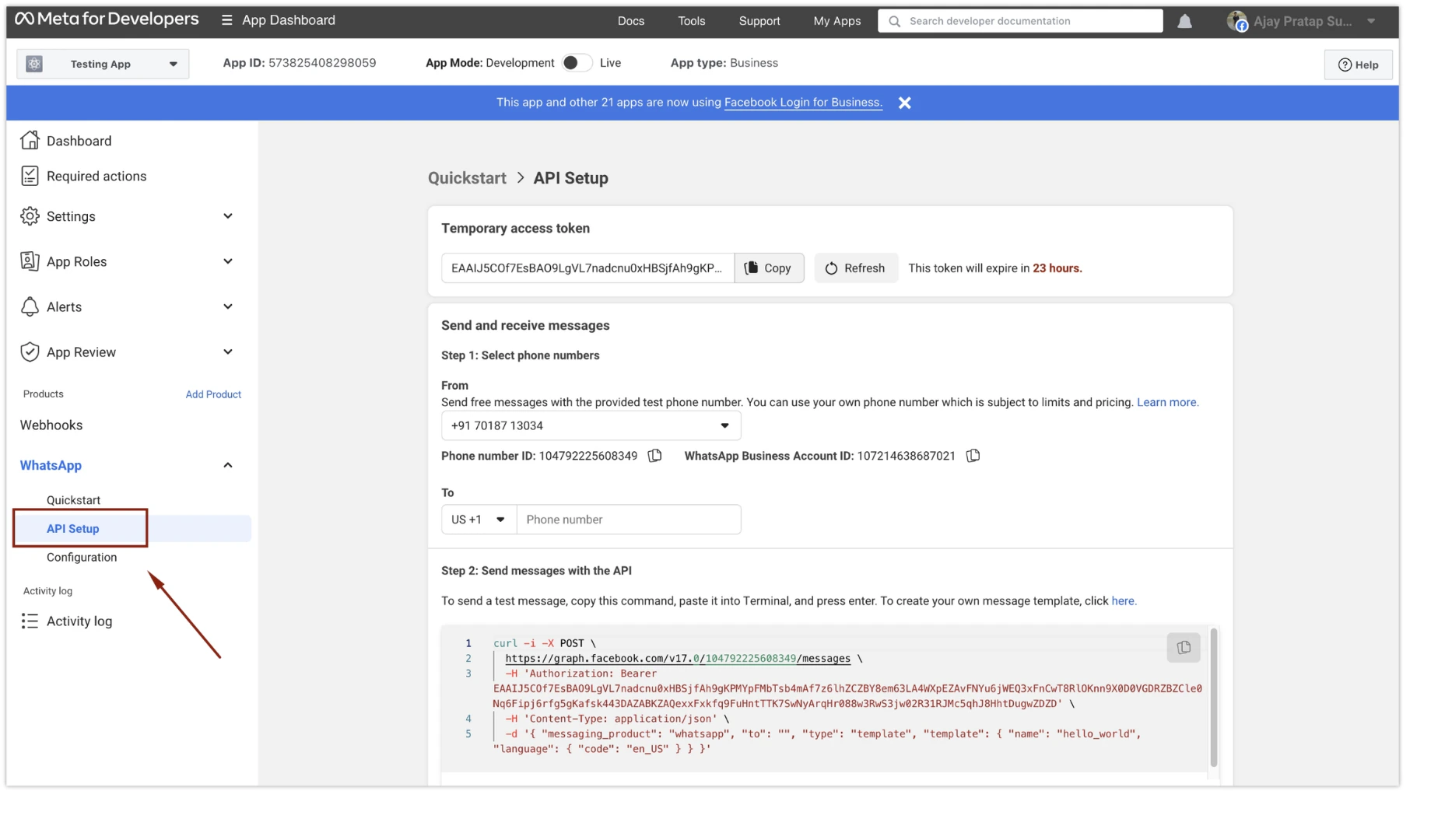
  1. Once you are logged in, you will find the dashboard’s sidebar.
  2. Click on the β€œAPI Setup” option under the β€œWhatsApp” section. 227 Getting All The Necessary Details From Meta Develo 1 Pn

Step 3: Select Phone Numbers and Copy Details

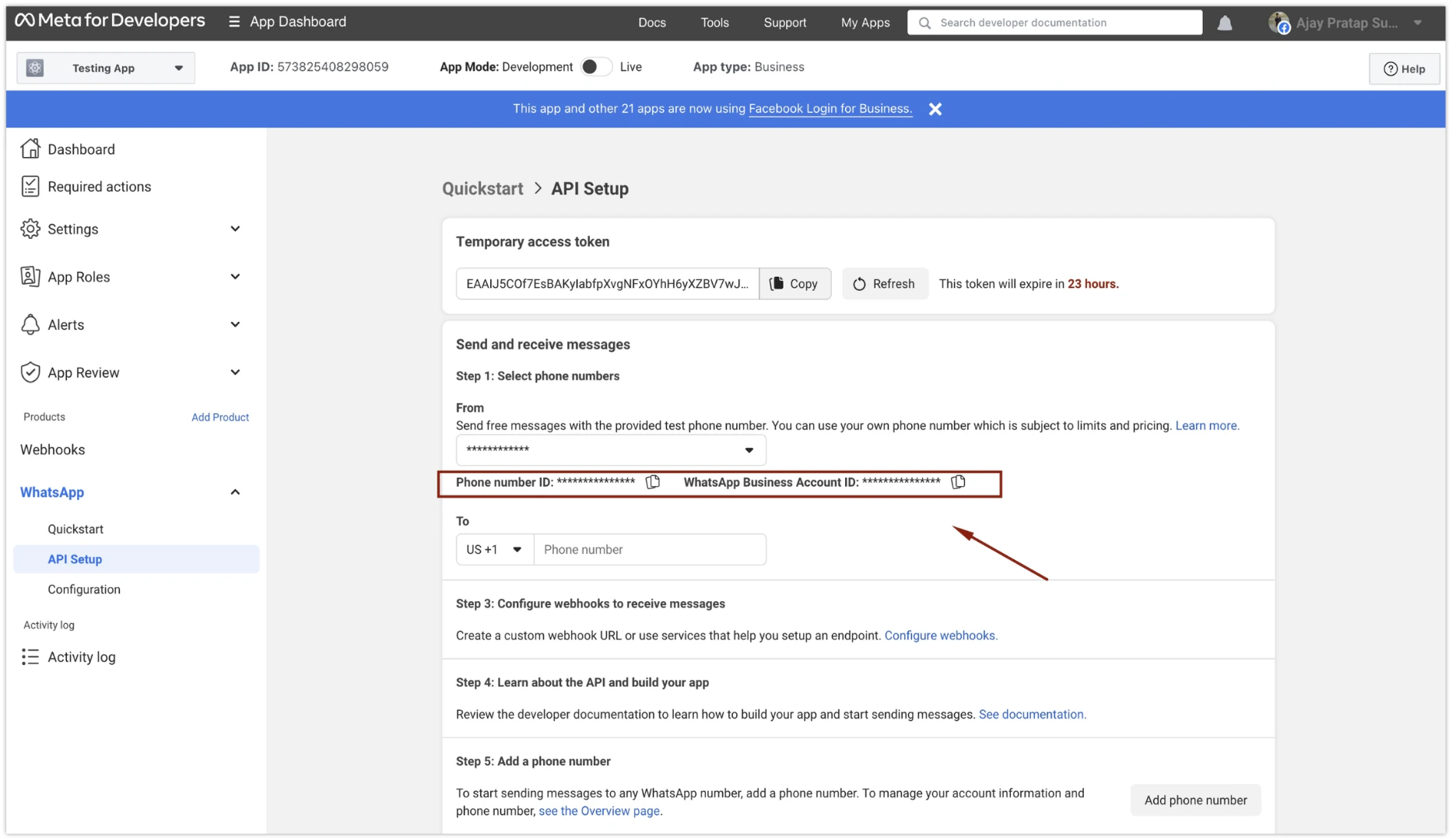
  1. In the WhatsApp API setup page, proceed to β€œStep 1: Select phone numbers.”
  2. Select the correct β€œFrom” number from the available options.
  3. Copy both the β€œPhone number ID” and β€œWhatsApp Business Account ID” (WABA ID) displayed on the page. 227 Getting All The Necessary Details From Meta Develo 2 Pn
Step 4: Copy the β€œSystem User token” that you generated. if you missed the same, Visit below page

Congratulations! You have successfully copied the essential details from the Meta Developer Dashboard, including the β€œPhone number ID,” β€œWhatsApp Business Account ID” (WABA ID), and β€œSystem User Token.” These details are crucial for integrating and using WhatsApp services within your application or business. Please ensure to keep these details secure and do not share them with unauthorized parties. If you encounter any difficulties or have further questions regarding the Meta Developer Dashboard, please refer to the official Meta documentation or contact Eetech support team for assistance.